

Episode 5: MTD software, without the sales pitch
This is the point where Making Tax Digital for Income Tax starts to feel real.
Once you know whether you’re in scope, and once you understand the quarterly deadlines, the next question is obvious. What software do I actually need, and how do I avoid buying something I’ll never fully use?
That’s the part people often overcomplicate. HMRC’s position is straightforward. If you need to use MTD for Income Tax, you need compatible software that can help you keep digital records and make the required submissions. HMRC also make clear that they do not provide the software themselves.
If you haven’t read the earlier posts yet, Episode 1 explains what MTD is, Episode 2 explains qualifying income, Episode 3 covers deadlines, and Episode 4 explains digital records in real life.
If you want us to recommend a setup that actually fits the way you work, we can help with that here.
Or try our MTD Calculator.
What HMRC actually require from your software
HMRC say that from 6 April 2026, some sole traders and landlords must start using compatible software to report their income under Making Tax Digital for Income Tax. They also say the first thing to check is whether you need to use the service and when.
In plain English, the software needs to do two jobs properly. It needs to help you keep digital records, and it needs to let you make the required submissions to HMRC. If one product does everything, that can be fine. If you use more than one product, that can also be fine, provided the setup works and stays compliant. HMRC’s guidance covers both single-software and spreadsheet-plus-bridging routes.
If you want the black and white directly from HMRC, use these two pages: HMRC compatible software guidance and HMRC software finder.
The biggest mistake: buying too much software
The most common mistake is not buying software that is too cheap. It’s buying software that is too much.
A lot of people assume that if MTD is serious, the software has to be serious too. That usually translates into paying for a full bookkeeping or accounting platform with a long feature list, only to use ten percent of it and resent the rest.
The right question is not “what is the best software on the market?” The right question is “what is the simplest setup I will actually keep on top of?”
That’s a much more useful test, because the most expensive system in the world is still the wrong choice if you stop using it after two weeks.
The three sensible routes most people end up choosing
In practice, most people fall into one of three camps.
The first is a straightforward bookkeeping app or accounting platform. That tends to work well for people who want bank feeds, transaction matching, and a cleaner quarter end process.
The second is spreadsheets plus bridging software. HMRC explicitly allow this route. If you keep income and expenses in a spreadsheet, bridging software can connect that spreadsheet to HMRC so you can make submissions.
The third is a mixed setup, where records are captured one way and filed another. HMRC’s campaign material recognises that people may use recognised bookkeeping software, accounting software, or linked tools that work together.
None of those routes is automatically “best”. The best one is the one that fits your habits, your income sources, and the amount of admin you realistically want to do yourself.
Bridging software, explained properly
Bridging software is worth understanding because people either assume it solves everything or they ignore it completely.
It does not replace keeping proper records. What it does is create the link between your spreadsheet records and HMRC so that updates can be submitted through an MTD-compatible route. HMRC describe bridging software as an option for those who record income and expenses in spreadsheets.
So if you already have a spreadsheet system you genuinely keep tidy, bridging software can be a sensible and cost-effective option. If your spreadsheet is already a bit chaotic, then bridging software will not magically make it organised. It will just submit organised chaos more efficiently.
That’s why I’d only recommend the spreadsheet route for people who already know they can maintain it.
What usually works best for sole traders
For most sole traders, the goal is not sophistication. It’s reducing friction.
If most of your income comes through the bank and most of your costs are card payments, then a simple setup that pulls transactions in and lets you keep things current can work really well. It reduces the backlog, gives you better visibility across the year, and makes quarterly submissions far less painful.
If you have lots of cash takings, irregular jobs, or lots of smaller costs, then the software choice matters a bit more because speed becomes important. If it takes too long to record something, it usually won’t get recorded on time.
So for sole traders, the best setup is usually the one that makes the weekly admin feel light enough that you actually do it.
What usually works best for landlords
Landlords often need less than they think.
If you have one or two properties, the core issue is clarity, not complexity. You want the rents captured, you want the costs captured, and you want to be able to see what belongs to what.
If you have multiple properties, the value of decent software is usually in keeping things separate and easy to review, rather than in having loads of extra features. If you cannot quickly tell which costs belong to which property, the system is already becoming more stressful than it needs to be.
For most landlords, the best setup is not the flashiest one. It’s the one that makes the records easy to trust.
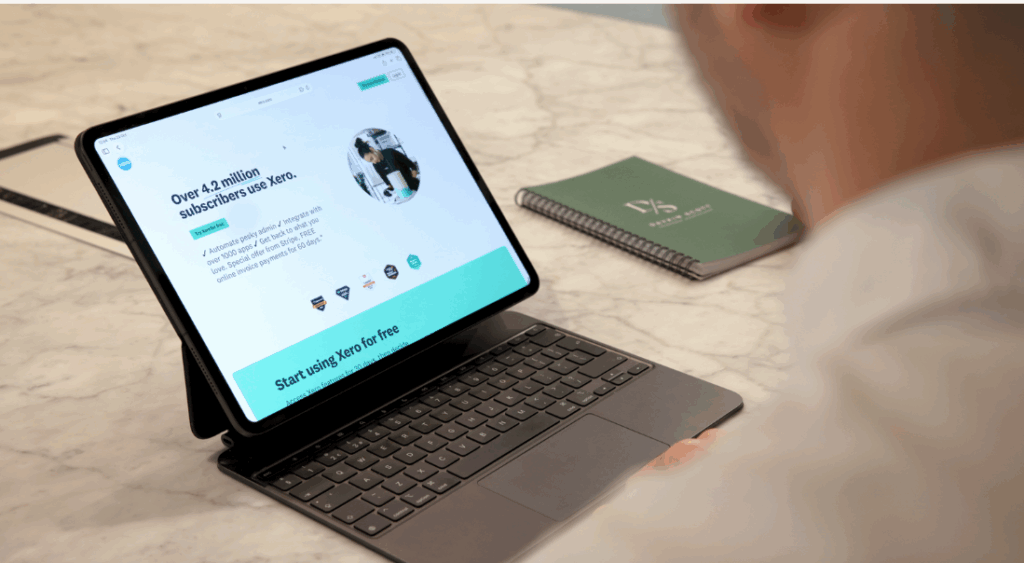
What about Xero or QuickBooks?
If you already use something like Xero or QuickBooks, don’t assume and don’t panic.
HMRC’s own guidance says you should always check with the software provider to make sure their software will meet your needs for MTD for Income Tax. That is the safest way to look at it, because capability can vary by product and by subscription level.
So the sensible approach is to start with HMRC’s compatible software guidance, then confirm with the provider that your current setup supports what you need. If it does, great. If it doesn’t, then at least you know before April 2026 rather than after.
If you want us to sense check your current setup and tell you whether it’s suitable, get in touch here.
What good value actually looks like
Good value is not just about the monthly fee. It’s about total cost.
That includes the subscription, but it also includes your time, your stress, and the chance of falling behind and needing a rescue job later.
A good software choice is one that makes it easier to keep records current, easier to understand what’s going on, and easier to file without drama. If a system looks clever but makes you avoid opening it, it is not good value.
That’s why the cheapest option is not always cheapest, and the most expensive option is very often unnecessary.

If you’re local to Sutton Coldfield or Birmingham
If you’re a sole trader or landlord around Sutton Coldfield, Birmingham, Solihull, or the wider West Midlands, we can help you choose a sensible setup and keep it running quarter to quarter.
A lot of people do not want to become software experts. They just want a system that works, and someone who keeps it on track.
If that sounds like you, have a look at our MTD service page, or just get in touch and we’ll talk it through.
FAQs: MTD software, costs, and spreadsheets
Do I have to buy software for MTD for Income Tax?
You need compatible software if you are required to use MTD for Income Tax. HMRC do not provide it themselves, but they do provide guidance and a tool to help you find suitable software.
Can I still use spreadsheets?
Yes. HMRC say spreadsheet users can use bridging software to connect their records to HMRC for submissions.
What is bridging software?
It is software that links your spreadsheet records to HMRC so you can make MTD submissions. It does not replace the need to keep the spreadsheet tidy.
Is free software good enough?
Sometimes. HMRC’s campaign guidance recognises that there are free and paid options, but the right choice depends on your needs and how you work.
Can I use Xero or QuickBooks for MTD for Income Tax?
Possibly, but check first. HMRC say you should confirm with the provider that the software will meet your needs.
Where do I find HMRC’s official guidance?
Use HMRC compatible software guidance and HMRC software finder.
Coming next, and how Daykin Scott can help
Next week we’ll look at what the first quarter actually feels like in practice, including the common pitfalls that trip people up when they first start using MTD for Income Tax.
If you’d like to know how Daykin Scott can help you with MTD, get in touch today and we’ll talk you through the best setup for your situation and what support would look like quarter to quarter.
Start here: get in touch